
This free, interactive tool allows clinical application specialists, laboratory scientists, and trainees to instantly simulate ISBT-128 compliant blood component labels across multiple international specifications for laboratory training, system testing, and educational demonstrations.
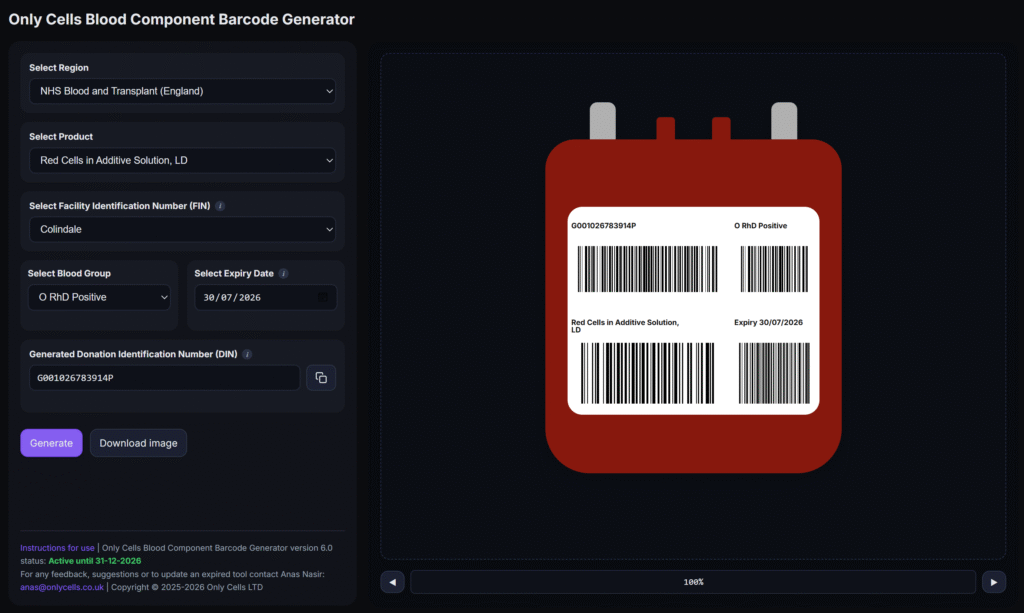
Steps to use the tool:
-
Using the Region drop-down menu, select the appropriate region.
-
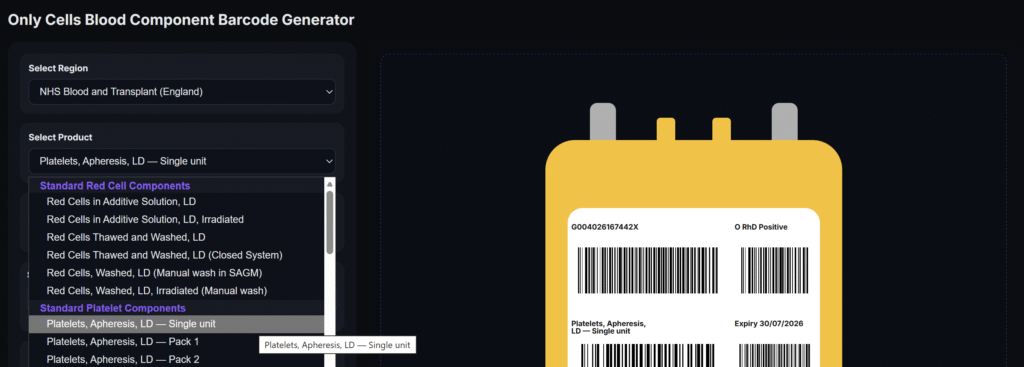
Using the Product drop-down menu, select the required blood component from the list. The list contains components from the NHSBT Portfolio of Blood Components, The Australian Guidelines for the Labelling of the Blood Components using ISBT128 and the IBTS Product Masterfile.
-
Select the Facility from the drop dropdown list.
-
Select the blood group from the dedicated drop-down menu.
-
Enter an expiry date of the component. The accepted format is DD/MM/YYYY, or you may use the inbuilt calendar function.
-
Press the 'Generate' button. The tool will autogenerate an ISBT 128 compliant Donation Identification Number (DIN) and the image on the right-hand side of the screen will update immediately, displaying the corresponding component label and barcodes based on your selections.
-
The generated image can then be scanned directly on the screen or downloaded for insertion into documentation or printing. To make the image bigger, use the zoom buttons under the image.
DOWNLOAD THE BLOOD COMPONENT BARCODE GENERATOR TOOL HERE
Version history and updates:
| Version number | Updates / notes |
|---|---|
| 7.0: Blood component barcode generator full | Updated rendering of Expiry date barcode. Added resizing and sidebar collapsing function. Updated image placement upon zooming. |
| 6.0: Blood component barcode generator full | Multi-regional support with official catalogues from NHSBT, IBTS and Lifeblood. Single click DIN copy using dedicated button. |
| 5.3: Blood component barcode generator full | Updated tool expiry. |
| 5.2: NHSBT Blood component barcode generator full | Updated check digit calculation and barcode generation to fully meet ISBT-128 requirements. |
| 5.1: NHSBT Blood component barcode generator full | Updated full NHSBT component list and organised by grouping together similar components. |
_____
A UK Facility Identification list can be found here (Appendix 8, page 90).