
Skip to content
Training system · Fictional patients only · Not for clinical use
Labyrinx LIMSby Only Cells

For universities and colleges

The teaching LIMS that behaves like the real thing.

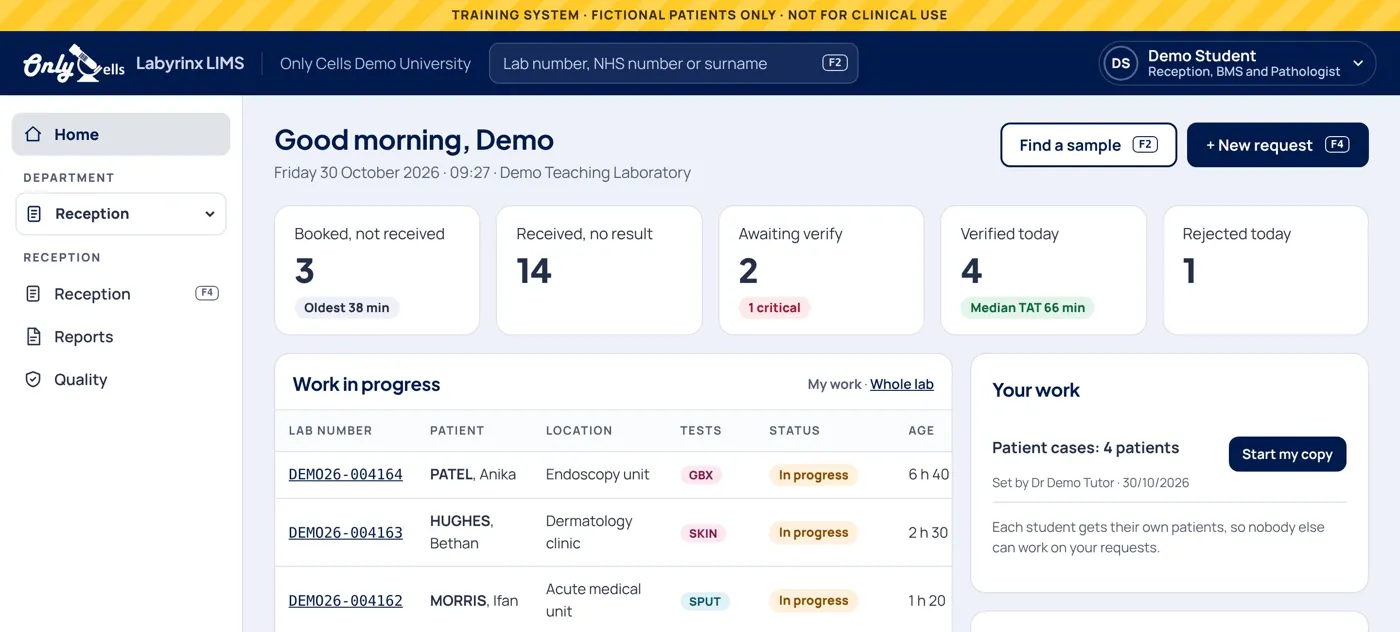
Most biomedical science students first use a laboratory information system in their first job, on real patient samples. Labyrinx LIMS lets them book in, test, verify and report in a safe teaching laboratory first, with fictional patients and nothing at stake.

Demo links are for university and college teaching staff. Students: use the link your tutor gave you.

  • 6

    laboratory disciplines, from haematology and transfusion to cellular pathology

  • 13

    ready-made exercises with planted errors, tutor notes and automatic marking

  • 70

    conditions in the condition bank, from iron deficiency to falciparum malaria

  • 0

    software to install: it runs in a web browser on computers, tablets and phones

The whole journey

From the ward to the report

Every request follows the path it would take in a hospital laboratory, and the LIMS checks each step the way a real one would.

  1. 1

    Request

    A clinical user, such as a nursing or medical student, requests bloods and draws the tubes in order.

  2. 2

    Book in

    Find or register the patient, check every tube against the form and print barcoded labels.

  3. 3

    On the bench

    Run QC, fetch analyser results, count a film, work a culture, crossmatch, cut up a biopsy.

  4. 4

    Verify

    Flags, delta checks and analyser messages; critical results phoned with read back.

  5. 5

    Report

    Released, amended with a reason when needed, and read on the ward. Every step is in the audit trail.

What it does

Built for teaching. Behaves like the real thing.

Each university gets its own private laboratory, and each student works on their own patients with the same planted problems, so nobody can copy a neighbour.

Reception

Sample reception that catches the mistakes

Request forms arrive in a tray, just like the real thing. Students search for the patient, check every container and label against the form, and decide what to accept.

  • Patient search with duplicate checks
  • Every sample checked against its form before it is accepted
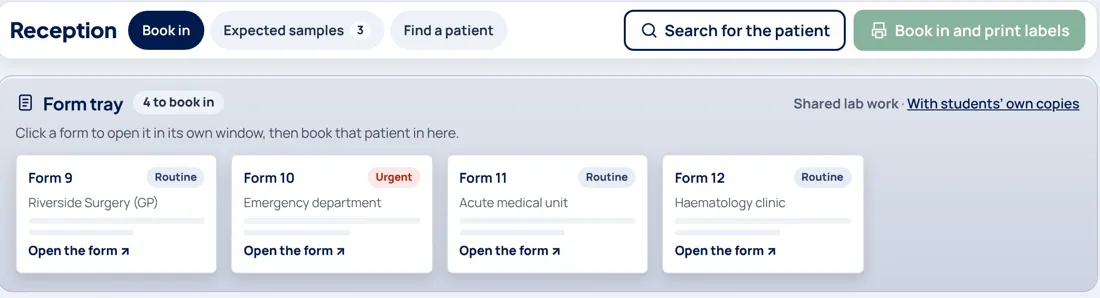
The Reception form tray with request forms waiting to be booked in
Quality

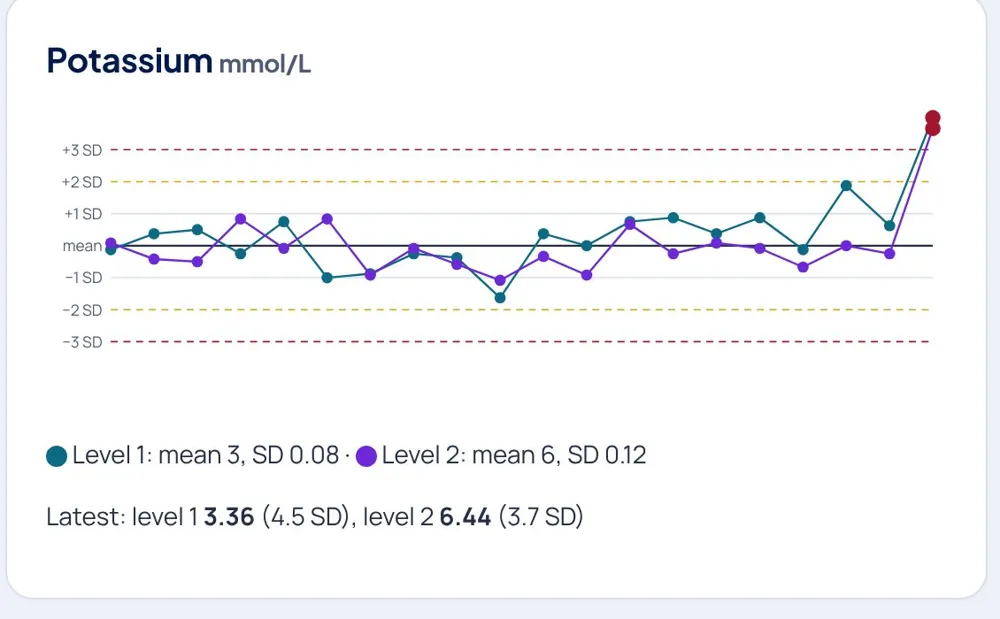
Morning QC with Levey-Jennings charts and Westgard rules

Nothing is verified until today’s quality control for that test is accepted. Tutors can plant a QC fault and watch who spots it.

  • Levey-Jennings charts for every control level
  • Westgard rules flag a shift, a trend or a random error
Quality control charts for urea and electrolytes, with Westgard rule warnings
Haematology

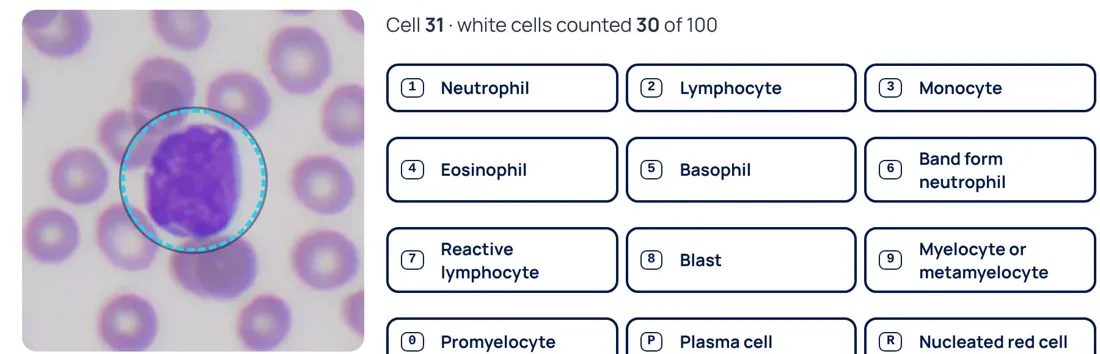
Blood films counted on real cells

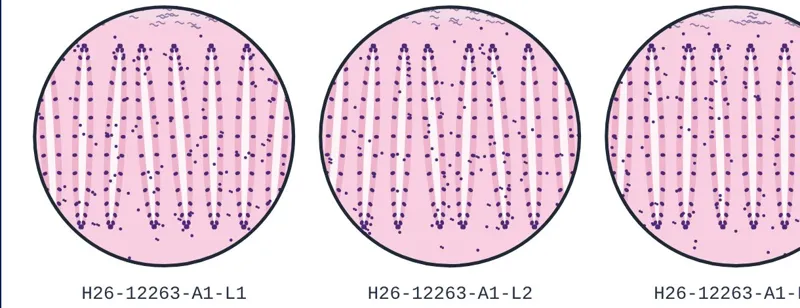
The film bench uses real pictures from the Only Cells Photo Library. Students count 100 white cells, describe the red cells and write a film comment, then check it against the analyser.

  • A differential only where the film needs one
  • Film review criteria from the full blood count
The white cell differential counter beside a real blood film picture

Across the laboratory

Every department your students will work in

Blood transfusion

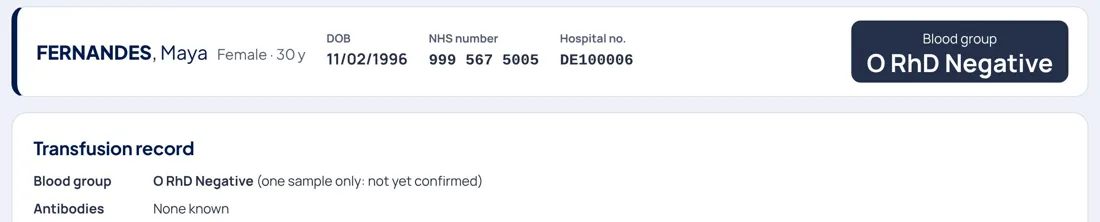
Group and screen, antibody identification panels, special requirements, crossmatch, blood bank stock and issue by barcode, with emergency issue.

Issuing blood with the patient's special requirements shown

Infection sciences

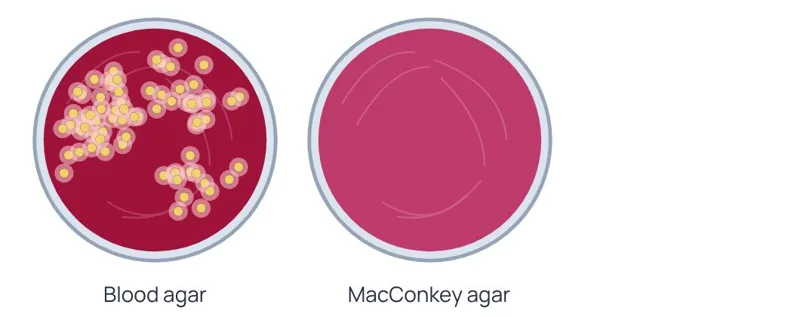
Read the plates, Gram stains, sensitivities with expert rules, and blood cultures.

Reading culture plates

Cellular pathology

Specimen tracking from cut-up to sign-out, special stains, controls and the pathologist’s report.

The pathologist's sign-out screen

Ward requests

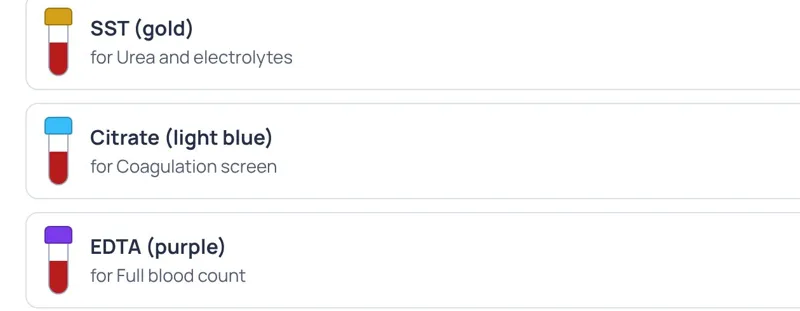
Nursing, medical and physician associate students request bloods, choose the order of draw and read verified results.

Choosing the order of draw for a ward request

Busy shifts and downtime drills

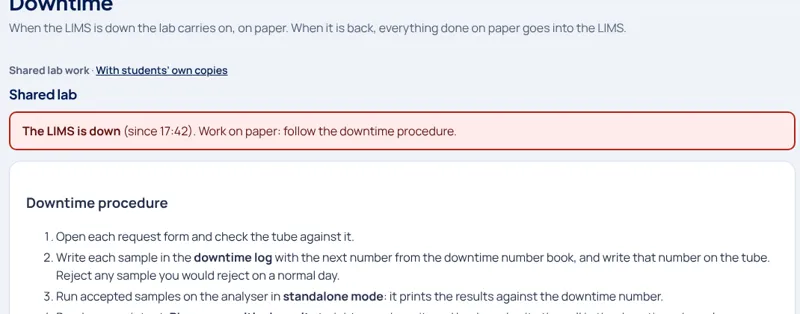
Turnaround targets, a busy shift to triage, and a LIMS-down drill with paper forms and back-entry.

The downtime drill page while the LIMS is down

Analyser messages and auto-validation

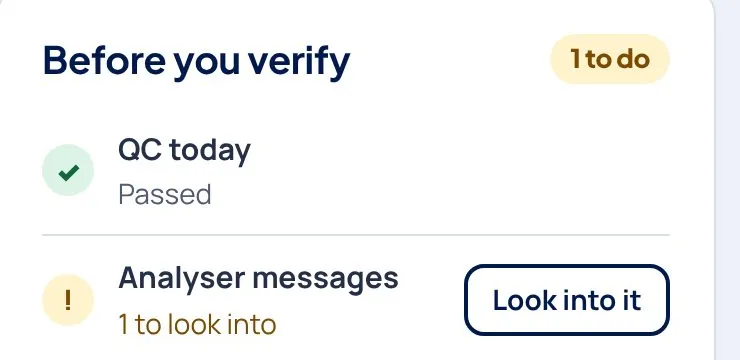
Flags, delta checks to investigate, and rules that decide what can go out without a person.

Analyser results with flags and messages to investigate

Set, run and mark

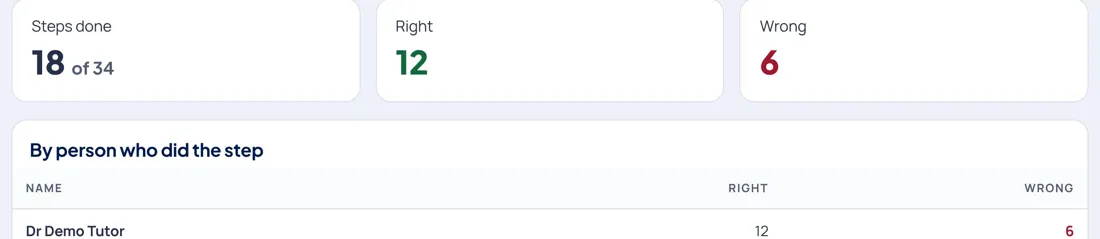
Load a ready-made exercise or plan one from the condition bank. Class results mark every step right, wrong or not done, with a gradebook export for Moodle or Blackboard.

Class results marking each student's steps

Who it is for

One laboratory, three kinds of user

Students

Biomedical science first

  • Book in, test, verify and report on their own patients
  • Lab roles: Reception, BMS, verifier, pathologist
  • Practice for placement and the IBMS Registration Training Portfolio

Tutors

Set, run and mark

  • Ready-made exercises or your own from 70 conditions
  • Plant QC faults and analyser messages
  • Full audit trail: who did what, and when

Your university

Your own private lab

  • Your own address, name, colours, logo and lab number prefix
  • A separate database nobody else can see
  • Clinical users on the ward for nursing and medical students

Safe, accessible and UK practice

Safe by design

Fictional patients only. NHS numbers must be in the 999 test range, and every page says it is a training system.

Accessible

Tested against WCAG 2.2 AA. Fully usable by keyboard, with hospital-style shortcuts.

UK practice

Written in British English by a UK biomedical scientist: UK reference ranges, BSH transfusion guidelines and UK SMIs.

Nothing to install

Runs in any modern browser, with no IT set-up. Built for whole classes signing in at once.

For teaching staff

Try it with your own private demo

Tell us who you are and we will send you a demo link made for your university. Nobody outside your university sees it.

  1. Ask for a linkFill in the form with your university email address.
  2. Get your private demoWe check the request and email you your own link, usually within two working days.
  3. Try every roleSign in as a tutor, a biomedical science student or a clinical user. No account needed, and it is cleared every night.

Request a demo link

All fields are needed unless they say optional.

We use your details only for this request.